
Would you like to show a blogger widget in Mobile View also in blogger blog and website? It is very simple and process. You can show widget like HTML/ Jave Script, Labels, Links, and others in mobile like the desktop version. Just you have to follow the following step.
Note: I have done it on my blog. You can check the contact form in the footer in the Mobile version. which is not shown by default.
Step 1- Add some widget like HTML/JavaScript, Label, Link and other widgets
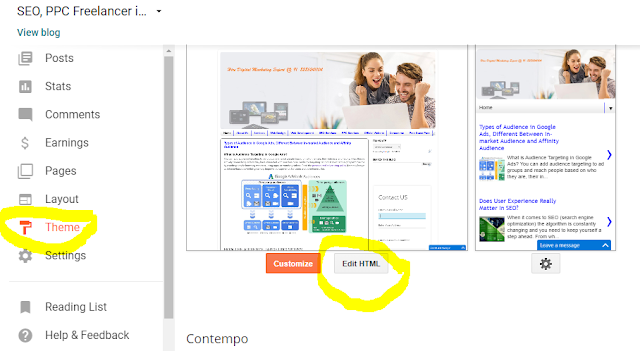
Step 2. Go to theme setting and click on edit theme
Step 3. Click on Jump to Widget Button and Select the widget which you want to show in Mobile view
Note: I have done it on my blog. You can check the contact form in the footer in the Mobile version. which is not shown by default.
Step 1- Add some widget like HTML/JavaScript, Label, Link and other widgets
Step 2. Go to theme setting and click on edit theme

Step 3. Click on Jump to Widget Button and Select the widget which you want to show in Mobile view
